
We may earn a commission when you buy through links on this page, at no extra cost to you. It never decides what we recommend. How we make money
Knowing how to clean car battery terminals can save you from buying a replacement battery or starter you do not actually need. A crusty white or blue-green ring around the battery posts acts like an electrical bottleneck: it chokes the heavy current your starter motor demands and blocks your alternator from refilling the battery on the drive home. If your car clicks instead of cranking, or if you are chasing a mystery drain in our guide on why a car battery keeps dying, the terminals are the cheapest place to start.
Cleaning them the wrong way, however, creates real hazards. Putting a metal wrench on the positive clamp first while the negative cable is still grounded can throw a high-amp short circuit across the fender or hold-down bracket. Scrubbing an AGM cover with household alcohol or degreaser can permanently damage the cover and void the warranty, and cranking down on a soft lead clamp without a torque target can snap the terminal post or leave a loose connection that melts under load.
This guide is built for US drivers and home mechanics working on 12-volt flooded or AGM car and truck batteries. We checked maintenance manuals from East Penn Manufacturing (maker of Deka batteries), Trojan Battery, ODYSSEY, Interstate Batteries, and Fluke to give you the exact disconnect sequence, neutralizer ratio, voltage-drop limits, and clamp torque numbers.
Quick answer
- Disconnect orderAlways remove the negative (–) black cable first and reconnect it last to prevent wrench sparks against grounded metal (East Penn P121).
- Neutralizer mixMix 1 cup of baking soda per 1 gallon of water (60 mL per liter, or 1 tablespoon per cup) or use a dedicated battery cleaner spray; keep liquid out of the vent caps (Trojan User Guide).
- Bare-metal scrubBrush both the tapered lead post and the inside of the cable clamp with a wire terminal brush until bright metal shows all the way around (Trojan Battery).
- Clamp torqueTighten automotive post (AP) clamps to 50–70 in-lbs (6–8 Nm) on flooded batteries or 44–62 in-lbs (5–7 Nm) on AGM batteries, and side terminals to 60 in-lbs / 6.8 Nm (Trojan, ODYSSEY).
- Protectant ruleApply terminal protector spray, oil-based compound, or dielectric grease on the outside after tightening—never between the post and the clamp (Interstate Batteries).
What the crust on your battery terminals actually means
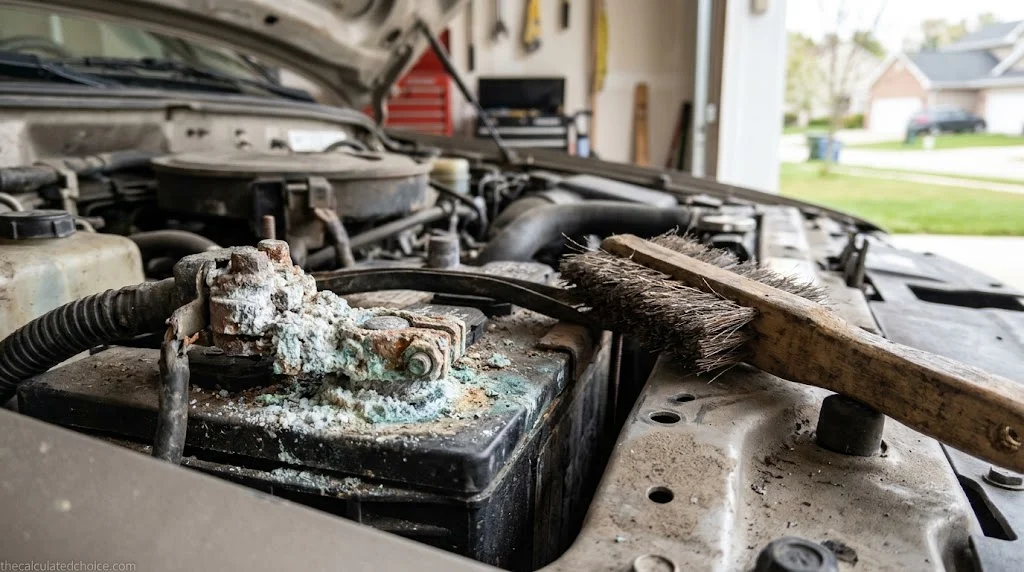
Most drivers call any chalky buildup on a clamp “battery acid,” but liquid electrolyte is rarely sitting on top of the post unless the case is cracked. According to Interstate Batteries, normal charging and discharging split water molecules inside the electrolyte into oxygen and hydrogen gas. When internal pressure rises—especially in a hot, tightly packed engine bay—the battery vents trace amounts of hydrogen and acidic vapor that react with the metals in the post, clamp, and copper wire.
The color and location of the buildup tell you which metal is reacting and whether you have a deeper charging or battery problem to inspect before you start scrubbing.
| What you see | What is reacting | What it points to | What to do |
|---|---|---|---|
| White or gray powdery crust | Lead, zinc, or aluminum reacting with vented gas (Interstate) | Normal sulfation/corrosion on lead posts or zinc-plated hardware, or a seepage gap around the post seal | Neutralize, wire-brush both post and clamp, and coat the outside after tightening |
| Blue or green fluffy crust | Copper in the cable strands or brass/copper clamp reacting with acidic vapor (Interstate) | Acidic fumes reaching exposed copper wire; if it creeps under the cable jacket, internal resistance rises | Neutralize and brush clean; if copper strands under the insulation are brittle or green, replace the cable |
| Brown or reddish rust | Iron or steel hardware (hold-down brackets, clamp bolts, or nuts) (Interstate) | Steel fastener corroding; rusted bolts can seize or snap when you try to loosen the clamp | Soak hardware with neutralizer, clean threads, and replace badly pitted clamp bolts |
| Heavy crust mainly on the negative (–) post | Vented gas concentrating at the ground connection (Interstate) | Interstate says corrosion at the negative terminal can point to a starter problem | Clean both posts, have the starter and charging system tested, and check resting and running voltage on our car battery voltage chart |
| Wet film on top of the battery case | Electrolyte mist or seepage mixed with road dust (Trojan) | Over-watering on a flooded battery, overcharging, or a cracked case-to-cover seal | Inspect for case cracks first; if intact, neutralize the case top so current cannot track across the dirt |
Interstate Batteries recommends inspecting and cleaning corrosion every six months. If you drive a vehicle with a sealed AGM battery, ODYSSEY’s owner’s manual notes that recombinant AGM cells recycle nearly all gases internally under normal conditions—so heavy crust on an AGM terminal can point to overcharging (ODYSSEY warns that going above 15.0 volts opens the pressure valves) or to a nearby fluid contaminating the post.
Why dirty terminals stop a healthy battery from starting your car
A thin film of lead sulfate or copper corrosion between the battery post and the inside of the cable clamp looks harmless, and a digital voltmeter touched to the top of the lead post will still read a healthy 12.6 volts at rest. The trouble appears the moment you turn the key.
Under no load, almost no current flows through the clamp, so resistance hides. When the starter solenoid engages, the starter draws hundreds of amps at once. By Ohm’s law, voltage lost across a dirty connection equals current multiplied by resistance. Fluke’s starter-circuit voltage-drop guide sets the acceptable total voltage loss across the entire starter circuit at 0.2 to 0.5 volts during cranking—roughly 0.3 volts on the positive cable side and 0.2 volts or less on the ground side.
Voltage-drop math: what 0.01 ohms of terminal corrosion costs at crank
Formula: Voltage drop (V) = Cranking current (A) × Connection resistance (Ω)Fluke acceptable starter-circuit drop: 0.2 V to 0.5 V total (≈ 0.3 V positive side, ≤ 0.2 V ground side)Example (clean clamp): 250 A cranking draw × 0.0005 Ω contact resistance = 0.125 V lost at the clampExample (corroded clamp): 250 A cranking draw × 0.01 Ω corrosion film = 2.50 V lost at the clamp aloneAt 70°F, East Penn’s load-test chart requires at least 9.60 V under load (and 8.50 V at 0°F). Losing 2.50 V across a crusty clamp pulls a healthy 10.5 V cranking battery down to 8.0 V at the starter motor—causing a slow crank or rapid solenoid clicking even when the battery itself is full. Sources: Fluke Corporation, East Penn P121
That same resistance also hurts you in reverse. When the alternator tries to push 14.2 volts back into the battery after a start, a resistive clamp drops part of that voltage across the crust, tricking the voltage regulator into tapering current early and leaving the battery chronically undercharged. Worse, Trojan’s User’s Guide warns that a high-resistance connection converts wasted electrical energy into heat (P = I²R), which can overheat the cable lug and melt the lead post.
What you need before you touch the battery
You can clean battery terminals with household baking soda and water or with a commercial aerosol cleaner and protector kit. Whichever route you choose, gather your protective gear and tools before loosening a clamp so you are not hunting for a wrench with acid residue on your gloves.
- Eye and hand protection: East Penn’s safety poster P121 and OSHA battery-safety eTool call for eye protection: East Penn says safety glasses and a face shield, and OSHA lists chemical-splash goggles (or a face shield over safety glasses) and acid-proof rubber or neoprene gloves. Brushing a clamp flicks tiny specks of acidic sulfate directly toward your face.
- Acid neutralizer (DIY or spray): For a homemade mix, Trojan Battery’s manual specifies 1 cup of baking soda (sodium bicarbonate) per 1 gallon of water—which scales down to 1 tablespoon of baking soda stirred into 1 cup (8 fl oz) of warm distilled water. If you prefer a commercial aerosol that detects hidden acid leaks, CRC 05023 Battery Cleaner with Acid Indicator sprays on as a pH 8.5 yellow foam that turns pink wherever it touches acid.
- Two brushes (one non-metallic, one wire): Trojan and Interstate Batteries recommend a soft nylon brush (or disposable toothbrush) for sweeping neutralized foam off the plastic battery case, plus a dedicated wire terminal brush—such as the 2-in-1 post-and-clamp brush covered in our battery terminal cleaner and protector picks below—for scrubbing the metal post and the inside of the clamp.
- Insulated wrench or socket (usually 10 mm, 8 mm, or 5/16 in.): Most top-post pinch bolts use a 10 mm hex head, while GM-style side-post bolts typically take an 8 mm or 5/16-inch wrench. Wrapping the wrench handle with electrical tape reduces the risk of an accidental short if your hand slips.
- Distilled water and lint-free shop rags: Used to rinse neutralized residue off the battery tray and dry the case top completely.
- Terminal protectant: A spray-on soft film (CRC 05046 Battery Terminal Protector), oil-based felt terminal washers (NOCO NCP2 B603), petroleum jelly, or dielectric grease to seal out moisture and vented gas after reassembly.
- Optional OBD-II or 12V memory saver: Both East Penn P121 and Interstate Batteries recommend plugging in a computer memory saver before disconnecting the battery so the vehicle keeps its electronic memory; Interstate warns that disconnecting without one can cause electrical problems.
How to clean car battery terminals step by step
Park in an open garage or driveway with plenty of airflow, shut the engine off, remove the key, and take off watches, rings, and metal bracelets (ODYSSEY Owner’s Manual). Then work through these six steps in order.
Step 1: Inspect the battery case and vent caps before wetting anything
Before spraying cleaner or pouring baking soda water, wipe away loose dry dust and check the battery for physical damage. East Penn P121 lists what to look for first: a cracked or broken case or cover, loose cable connections, a leaking case-to-cover seal, corrosion, and damaged or leaking terminals.
If the battery case is cracked, swollen, or actively leaking liquid electrolyte, stop—do not scrub or charge it. Neutralize any spilled liquid with baking soda and replace the battery. On a serviceable flooded battery with removable cell caps, push down on every vent cap to make sure it is sealed tight; Trojan warns never to let cleaning solution get inside the battery.
Step 2: Disconnect the negative (–) cable first, then the positive (+) cable
Locate the negative terminal, marked with a minus sign (–) or NEG and usually connected to a black cable. Loosen the pinch nut with your wrench, twist the clamp gently side to side to free it from the tapered post, and lift it straight up. Never pry upward against the plastic battery cover with a screwdriver or wrench—prying cracks the plastic top or breaks the internal lead-to-post seal, which causes acid to wick up the post even faster.
Tuck the negative cable aside so it cannot spring back against the post. Only after the negative cable is isolated should you flip open the red plastic boot, loosen the positive (+) clamp, and lift it off. Because the battery is no longer grounded to the vehicle chassis, your wrench cannot create a spark if it bumps a fender bolt while loosening the positive clamp (East Penn P121).
Step 3: Neutralize the corrosion with baking soda solution or cleaner foam
Mix your baking soda and warm water in a cup first rather than dumping dry powder straight onto the battery case (Interstate Batteries). Dip your nylon brush into the solution (or spray your aerosol battery cleaner onto the posts and cable ends) and work it into the crusty deposits, brushing away from any vent caps or breather holes.
As sodium bicarbonate contacts acidic sulfate residue, it fizzes and converts the acid into neutral salt, water, and carbon dioxide gas. If you are using a foaming cleaner with an acid indicator like CRC 05023, watch the foam color: yellow foam turns pink wherever acid is present, showing you spots around the hold-down bracket, battery tray, or cable crimps that need a second pass.
Step 4: Scrub the posts and the inside of the clamps to bare, bright metal
Once the fizzing stops, neutralizing is done—but the electrical job is only half finished. Neutralized lead sulfate and dark lead oxide still act as an insulator until you mechanically abrade them off both mating surfaces.
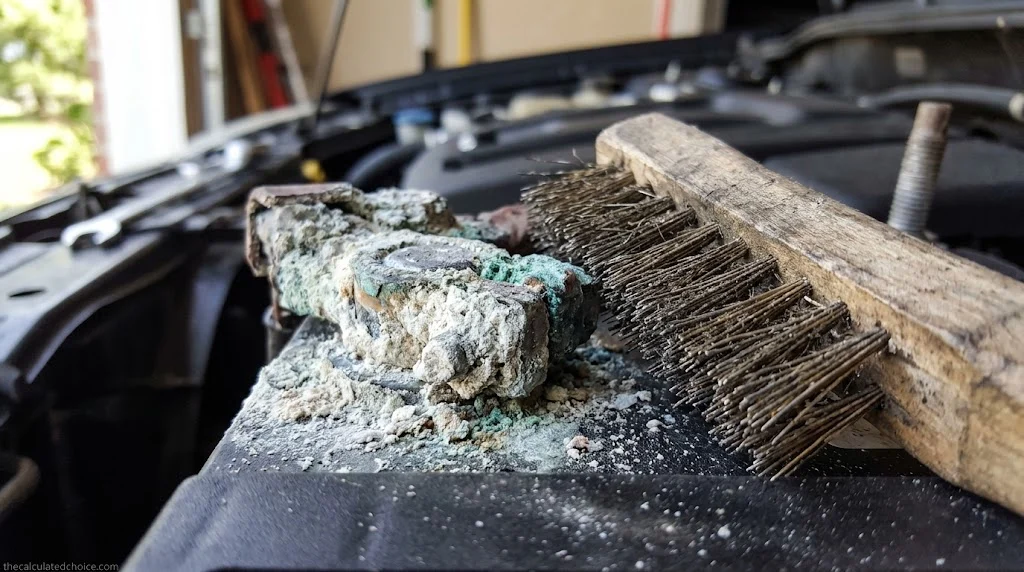
Slip the female end of a wire battery post brush over the positive post and twist it back and forth several times, then repeat on the negative post. Next, insert the tapered male cone brush inside each disconnected cable clamp and rotate it to scrape out the compressed crust hiding inside the ring. Both the post and the inner clamp surface should show a uniform, bright metallic shine (Trojan Battery). Inspect the clamp bolt threads and nut; if the bolt is stretched or eaten thin by acid, replace it before reassembling.
Step 5: Rinse, dry the battery top completely, and install felt washers
Wipe dissolved sludge off the posts, clamps, and battery top with damp paper towels or rinse lightly with clean water—taking care not to splash contaminated runoff onto drive belts, alternator windings, or painted fenders—and dry every surface thoroughly with a clean shop rag (Trojan User Guide). Leaving a damp film of baking soda residue across the top of the battery creates a conductive path between the positive and negative posts that slowly self-discharges the battery while parked.
If you are adding anti-corrosion felt washers (such as NOCO NCP2 B603 oil-saturated felt rings), drop one washer over the base of each post now before seating the cable clamps. These sit below the clamp to block acidic vapors wicking up the base of the post without getting between the metal clamping surfaces.
Step 6: Reconnect positive (+) first, negative (–) last, torque, and seal
Reconnect in the exact reverse of removal: press the positive (+) clamp all the way down onto the tapered positive post so it sits flush with the base, and tighten the pinch bolt to spec. Then seat the negative (–) clamp onto the negative post and tighten it (East Penn P121, Interstate Batteries). Try to twist each clamp by hand; if a clamp rotates on the post even when the pinch bolt is bottomed out, the clamp is stretched and needs replacement or a post shim.
Finally, coat the exterior of the assembled post, clamp, and bolt with a thin layer of terminal protector spray (CRC 05046), brush-on oil compound, or dielectric grease. Close the red positive terminal cover boot.
Special rules for side-post and AGM batteries
Standard top-post flooded batteries are forgiving, but GM-style side-terminal batteries (such as Group 75 and Group 78) and sealed AGM batteries have specific manual warnings that generic cleaning guides leave out.
- Never clean ODYSSEY AGM covers with alcohol, degreaser, or solvents: In the ODYSSEY Owner’s Manual, EnerSys prints an explicit warranty warning: do not use any oil, organic solvent, alcohol, detergent, strong acid, strong alkali, petroleum-based solvent, or ammonia solution to clean the battery covers or tops. EnerSys says those materials can permanently damage the covers and tops and will void the warranty, so treat other sealed AGM batteries with the same caution. Stick to water and baking soda on the case, and keep oil-based terminal sprays strictly on the metal terminal hardware. For more differences between the two chemistries, see our AGM vs flooded battery guide.
- Peel back the rubber boot on side-post cables: On a side-terminal battery, electrical contact happens across the flat lead ring surrounding the 3/8-16 female thread—not through the steel bolt threads. Corrosion hides inside the molded rubber cover of the cable end. Pull the rubber boot back, inspect the contact ring, and brush both the recessed pad on the battery and the cable face.
- Counter-torque brass posts and side adapters: When tightening an accessory bolt or GM side-terminal bolt on a battery with brass pads or adapters, ODYSSEY instructs you to hold the brass post with vise grips to counter-torque while tightening the bolt so you do not twist the internal insert inside the case.
- Do not charge or test side-post batteries through standard bolts or extenders: East Penn P121 warns against clipping a battery charger or load tester onto standard side-terminal bolts or bolt extenders. Because they do not provide flush lead-to-lead contact, they can lower CCA and state-of-charge readings; always thread in dedicated lead side-terminal charging posts first.
- Washer placement on stud and L-terminals: If your battery uses threaded stud or L-terminals with flat washers and lock washers, Trojan’s User’s Guide (Section 3.3) warns that the copper cable lug must rest directly against the lead terminal surface, with the flat washer and lock washer placed on top of the lug under the nut. Putting a steel washer between the lead terminal and the cable lug creates high electrical resistance and dangerous heating.
Battery terminal torque chart: how tight is tight enough?
Lead is soft. Trojan Battery’s manual states the trade-off plainly: overtightening terminal fasteners can crack or shear the post, while leaving a connection loose causes high contact resistance, terminal meltdown, or fire. Instead of guessing with a long ratchet, use an inch-pound torque wrench or a short combination wrench and match your terminal style to the maker-published dry torque values below.
| Terminal type | Battery type / brand source | Dry torque (in-lbs) | Dry torque (Nm) | Notes from the manual |
|---|---|---|---|---|
| Automotive Post (AP / SAE top post clamp) | Flooded & Gel (Trojan Table 2) | 50 – 70 in-lbs | 6 – 8 Nm | Applies to pinch bolt on standard tapered SAE automotive posts |
| Automotive Post (AP / SAE top post clamp) | AGM (Trojan Table 2) | 44 – 62 in-lbs | 5 – 7 Nm | Standard AGM AP post; Motive AGM with C-Max AP adapter uses 50–70 in-lbs |
| Side Terminal (3/8-16″ female receptacle) | AGM (ODYSSEY Manual) | 60 in-lbs max | 6.8 Nm max | Applies to Group 75, 78, and 34/78 side-terminal 3/8-16″ bolts |
| M6 Receptacle or Stud (6 mm thread) | AGM & Flooded (Trojan / ODYSSEY) | 25 – 35 in-lbs (Trojan) 35 – 60 in-lbs (ODYSSEY by model) | 3 – 4 Nm (Trojan) 3.9 – 6.8 Nm (ODYSSEY) | Check model table on powersports and compact auxiliary batteries |
| M8 Receptacle or Bolt (8 mm thread) | AGM & Flooded (Trojan Table 2) | 85 – 95 in-lbs | 10 – 11 Nm | Common on AGM auxiliary and deep-cycle insert terminals |
| Marine Dual-Terminal Stud (3/8-16″ Pos / 5/16-18″ Neg) | Flooded & AGM (Trojan / ODYSSEY) | 95 – 105 in-lbs (Trojan DT stud) 60 in-lbs (ODYSSEY 34M stud) | 11 – 12 Nm (Trojan) 6.8 Nm (ODYSSEY) | Place cable lug directly against lead surface; washer goes on top of lug |
Notice how low those numbers are: 60 in-lbs is just 5 foot-pounds of torque. A standard 3/8-inch-drive click torque wrench built for lug nuts cannot read that low accurately, so if you do not own an inch-pound wrench, hold a short 10 mm box wrench near the head with two fingers and tighten until the clamp is snug and cannot be twisted on the post by hand.
Common battery cleaning mistakes (myth vs fact)
Bad advice circulates widely on car forums. We checked five popular shortcuts against battery and tool manufacturers’ documentation.
| Myth | Fact (and what the manuals say) |
|---|---|
| “Pour Coca-Cola on corroded terminals to clean them for free.” | Interstate Batteries explicitly warns never to use Coke on a car battery. It can leave a brown, gummy residue in the battery compartment, and if any enters the battery cells it contaminates the electrolyte chemistry. |
| “Coat the bare post with dielectric grease before clamping the cable on.” | Dielectric silicone grease is an electrical insulator, not a conductor. Interstate Batteries specifies applying dielectric grease or protectant after you reconnect and tighten the clamp—never between the post and the clamp. |
| “Spray WD-40 on the posts and skip the wire brush.” | While WD-40 can displace moisture in corners, Interstate Batteries notes it is not ideal because the leftover film traps dust and turns into grime, and it does not scrape insulating lead oxide off the inside of the clamp. |
| “It does not matter which cable you unbolt first as long as the car is off.” | Even with the ignition off, the battery is live and the vehicle body is wired to the negative post. Loosening the positive clamp first while the negative cable is still attached risks a dead short if your wrench touches any grounded metal (East Penn P121). |
| “Corroded terminals mean the battery is bad and needs replacement.” | Interstate Batteries and East Penn P121 both state that corrosion alone does not condemn a battery. If an in-vehicle tester says to replace a battery with crusty posts, East Penn instructs you to remove the cables, clean the posts, recharge if below 12.4 V, and repeat the test before replacing it. |
What to buy to clean and protect your battery terminals
If you only clean one battery once a year, a box of kitchen baking soda, distilled water, and a basic wire terminal brush will get the job done. If you maintain multiple family cars, want an acid-leak color indicator that spots hairline case seepage, or want a soft protective coating that lasts longer than petroleum jelly in summer under-hood heat, dedicated battery care products cost very little.
For our best battery terminal cleaner and protector picks, we checked manufacturer safety data sheets and Keepa sales-rank histories to narrow the category down to four proven essentials that work together:
- Foaming acid-indicator spray (CRC 05023 Battery Cleaner with Acid Indicator): A non-flammable pH 8.5 aerosol foam that shifts from yellow to pink on contact with acid so you can see when neutralization is complete.
- Spray-on terminal sealer (CRC 05046 Battery Terminal Protector): A soft, dark red viscous film you spray over the tightened post and clamp to lock out moisture, road salt, and acid vapor.
- Oil-saturated felt washers (NOCO NCP2 B603 Felt Terminal Protectors): Organic felt rings pre-saturated with NOCO’s non-drying, non-evaporating NCP2 oil compound, with a removable inner ring that fits both top-post and side-post batteries.
- 2-in-1 post and clamp brush (Lisle 11120 Battery Brush): Combines an internal post brush and a tapered external clamp brush inside a high-impact plastic case that will not weaken in cleaning solutions.
While you have the hood open, check your emergency trunk gear too: even the cleanest battery posts can be stranded by a dome light left on overnight, and corroded posts require strong clamp bite when jumping. Choose jumper cables for cars and trucks whose wire gauge and cable length match your engine size and how you usually park.
How we researched this guide
We did not lab-test batteries or cleaning chemicals for this guide. Instead, we built every step, ratio, and torque target directly from published battery manufacturer manuals, electrical test equipment guides, and federal workplace safety standards.
Sources: East Penn Maintenance Poster P121, Trojan Battery User’s Guide, ODYSSEY Owner’s Manual, Interstate Batteries, Fluke Starter Voltage-Drop Guide, OSHA Battery Safety eTool
Frequently asked questions
Can I clean car battery terminals without disconnecting them?
What is the right baking soda to water ratio for cleaning battery terminals?
Which battery terminal do you disconnect first when cleaning?
Should you put dielectric grease or Vaseline on battery terminals before or after tightening the clamps?
Why does only one battery terminal corrode?
How tight should car battery terminal clamps be?

Researched by Shahzad
Amazon seller who researches products using sales-rank history, price tracking and owner reviews before recommending anything. Read our disclosure.